
Victron Energy BMS-CAN Type-A Cable for Victron GX Device Communication with Lithium Batteries


SKU: Please select an option...

Product Summary

Log in to check member price and detailed stock information.

Please select all options above to add to cart.

Current Connected
×
Victron

Current Connected is YOUR Victron product specialist

Explore Lineup

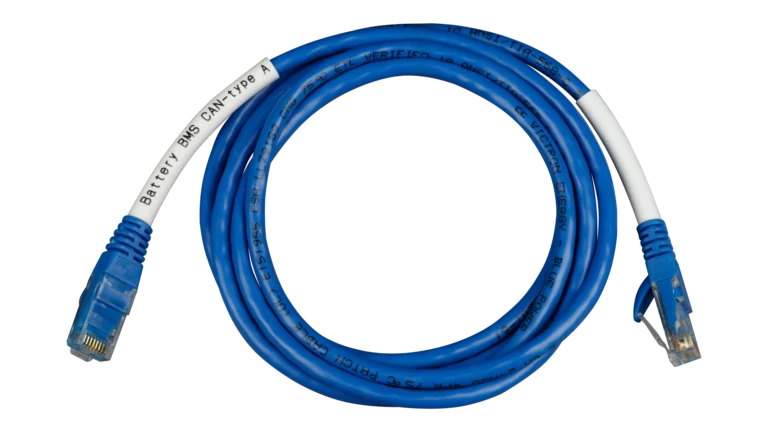
About the Victron BMS-CAN Type A Cable

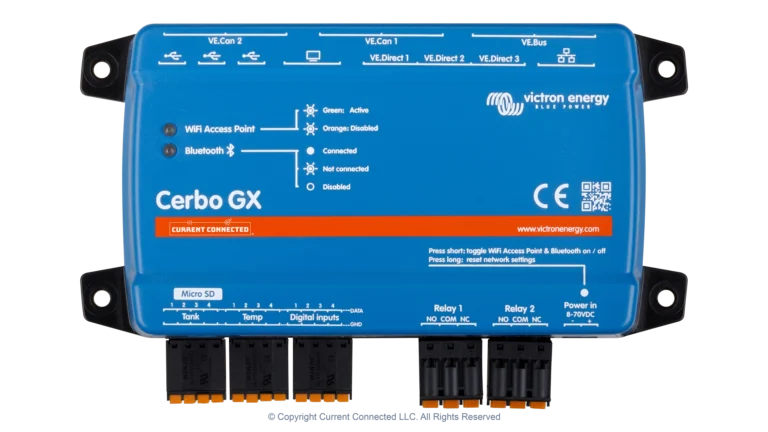
When you connect a third-party lithium battery to a Victron system, the GX device (Cerbo GX or Ekrano GX) needs to communicate with the battery's BMS over CAN bus. The problem is that most lithium batteries put their CAN signals on different RJ45 pins than Victron expects. A standard ethernet cable plugs in fine on both ends but puts the data on the wrong pins, and the devices never talk to each other.

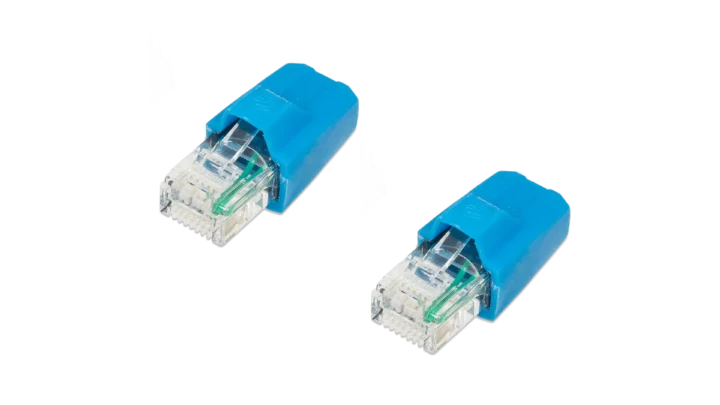
The Type A cable solves this by remapping the CAN bus signal pair from pins 4/5 on the battery side to pins 7/8 on the Victron GX side. That's it. It's a pin crossover in an RJ45 cable. But getting the pinout wrong (or assuming a regular patch cable will work) is one of the most common commissioning failures on DIY Victron builds with non-Victron batteries. This cable eliminates that problem entirely.

What This Enables

Once connected, the GX device reads real-time data from the battery BMS: voltage, current, state of charge, temperature, and charge/discharge current limits. With DVCC (Distributed Voltage and Current Control) enabled on the GX, the system automatically enforces the BMS limits across all connected Victron inverters and charge controllers. That means the battery's BMS is actively governing what the system does, rather than relying on manually configured voltage setpoints alone.

This is the difference between a system that charges to a fixed voltage and hopes the BMS catches anything out of range, and a system where the BMS tells the inverter exactly how much current to deliver right now based on actual cell conditions.

Type A vs. Type B

Victron makes two BMS-CAN cables. Type A remaps pins 4/5 to 7/8. Type B remaps a different pin configuration. Which cable you need depends entirely on where your battery manufacturer placed the CAN signals on its RJ45 connector. The battery's documentation will specify Type A, Type B, or standard ethernet.

Cable Pinouts:
Battery SideVictron GX Side
Pin 1Pin 1
Pin 2Pin 2
Pin 3Pin 3
Pin 4Pin 4
Pin 5Pin 5
Pin 6Pin 6
Pin 7Pin 7
Pin 8Pin 8

Compatible Batteries

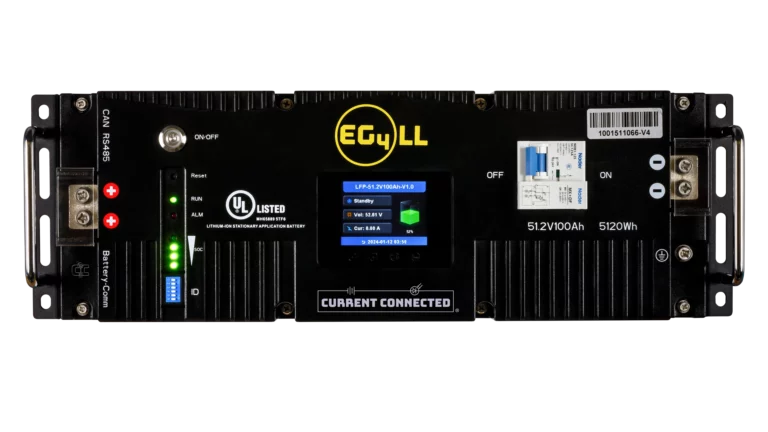
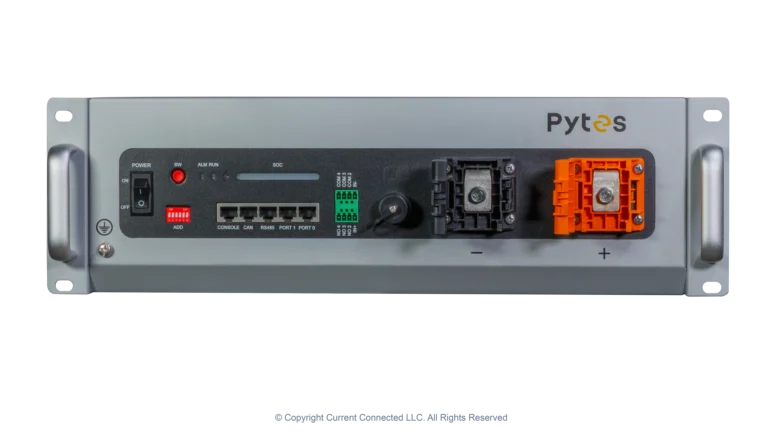
This cable works with batteries that use the Pylontech CAN protocol (or compatible variants) with CAN signals on RJ45 pins 4/5. Confirmed compatible batteries include the SOK 48V SK48v100, EG4 48V LL-S, EG4 24V LL, EG4 12V LL, EG4 48V Wallmount, and Pytes 48V V5.

Many other lithium batteries using the Pylontech protocol will also work with this cable. Check your battery's manual for its CAN bus RJ45 pinout. If CAN H and CAN L are on pins 4 and 5, the Type A cable is the correct choice. If they're on pins 7 and 8 (matching Victron's native layout), you need a standard ethernet cable instead.

Installation

The end labeled "CAN-bus BMS" plugs into the battery's CAN port. The other end labeled "VE.Can" plugs into either the VE.Can port or the BMS-Can port on your GX device. Both port types can be configured for CAN-bus BMS communication in the GX device settings. After connecting, select the correct battery profile in the GX device menu and refer to your battery manufacturer's manual for any protocol-specific settings.

Extending the Cable

If the 15 ft cable isn't long enough for your installation, you can extend the run with a standard ethernet cable and an RJ45 coupler between the battery and the Type A cable. The standard cable moves the port closer without remapping anything, and the Type A cable handles the pin crossover at the GX end.

Customer Reviews

(3)
5.0
D90Don22 December 2025 Verified Purchase

Works.

It is nice of Current Connected to provide this custom cable. I DIYer would have a hard time doing this themselves. That said, I'm not sure if the Cerbo is getting more info than it needs or conflicting info from 2 different sources. What should take priority, this BMS CAN RJ45 info or Info coming from the Smart Shunt? I would think Smart Shunt, but have no data to back this up. I feel I am messing up the works with this intfo coming from NON-Victron Batteries. But who knows. I'm gonna try to sort it out. My Cerbo can read Voltage and SoC via this cable, but SoC is likely bogus info.. from my recent experience.

Michael Tibbs12 November 2025 Verified Purchase

Exact cable needed to connect Victron Cerbo and/or Multiplus-II units to Pylon batteries like Eco-Worthy or other...

Chuck D.8 April 2023

manual was a great help in sorting out start up issues for this newbie